Now in Beta

AI understands your life
from a single photo.

Powered by Google Gemini AI, LifeLens automatically detects what you're doing, who you're with, and what you're eating from your photos. Get daily insights at 7:30 PM and monthly analytics reports—no manual tracking required.

Google Gemini AI
Powered by advanced AI
7:30 PM Daily
Smart notification timing
100% Local Data
Your privacy protected

What you're seeing

Powered by Google Gemini AI • React Native App

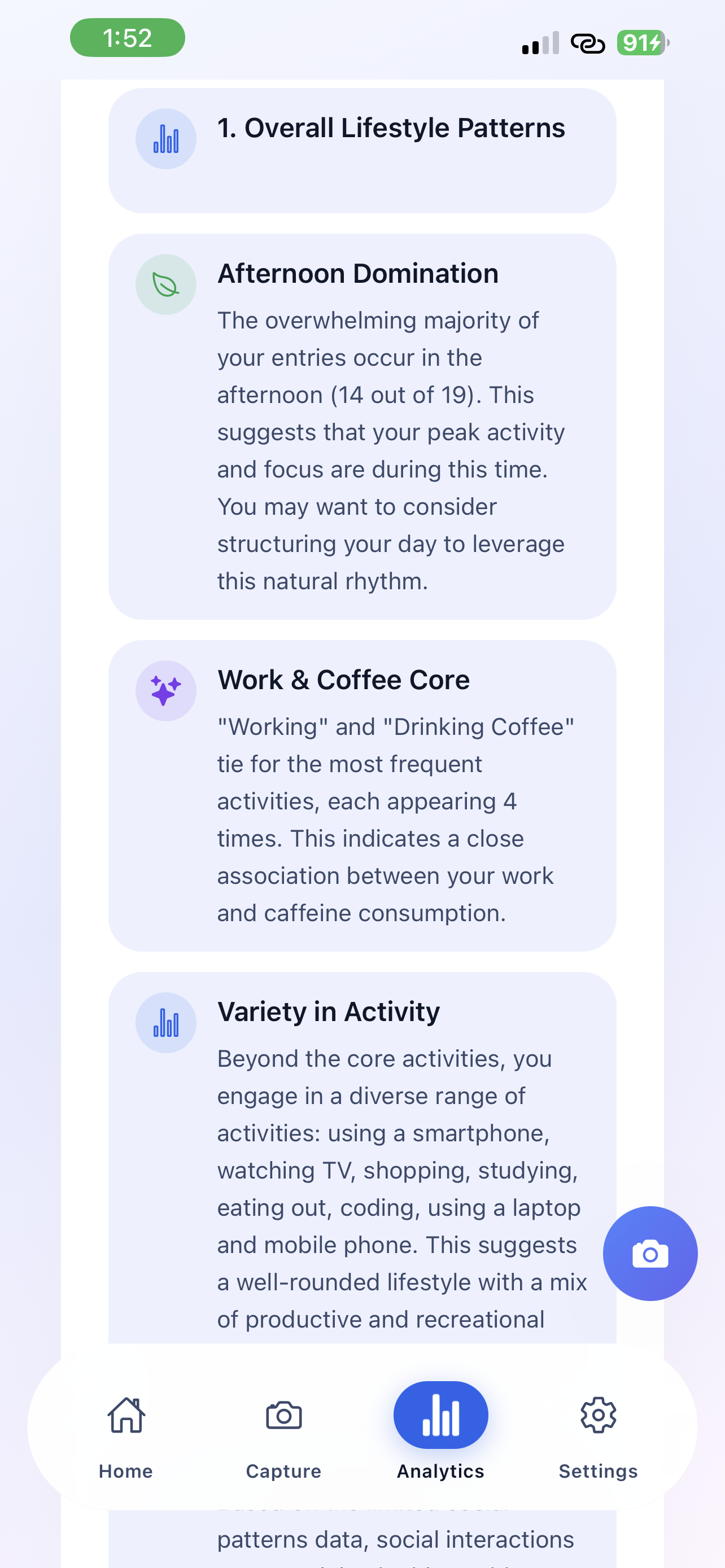
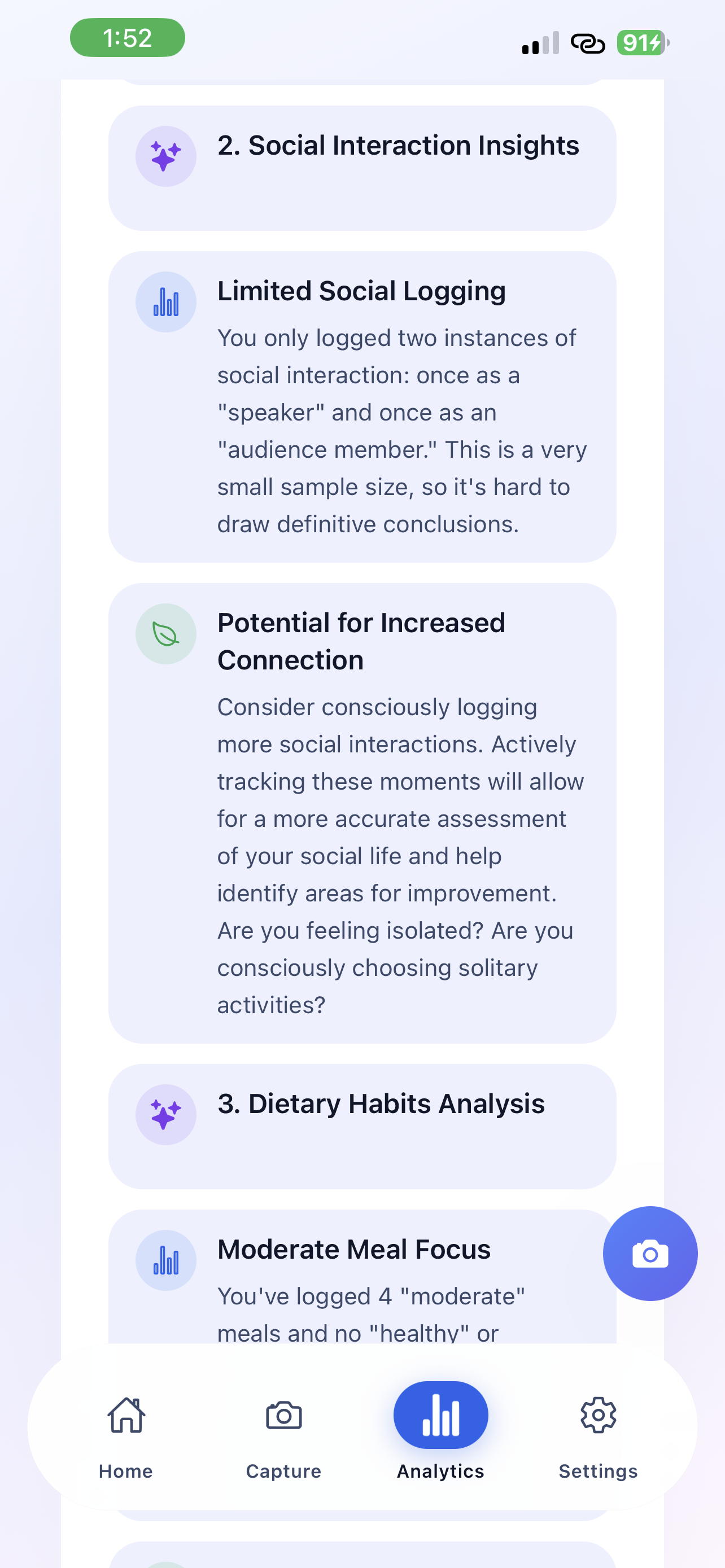
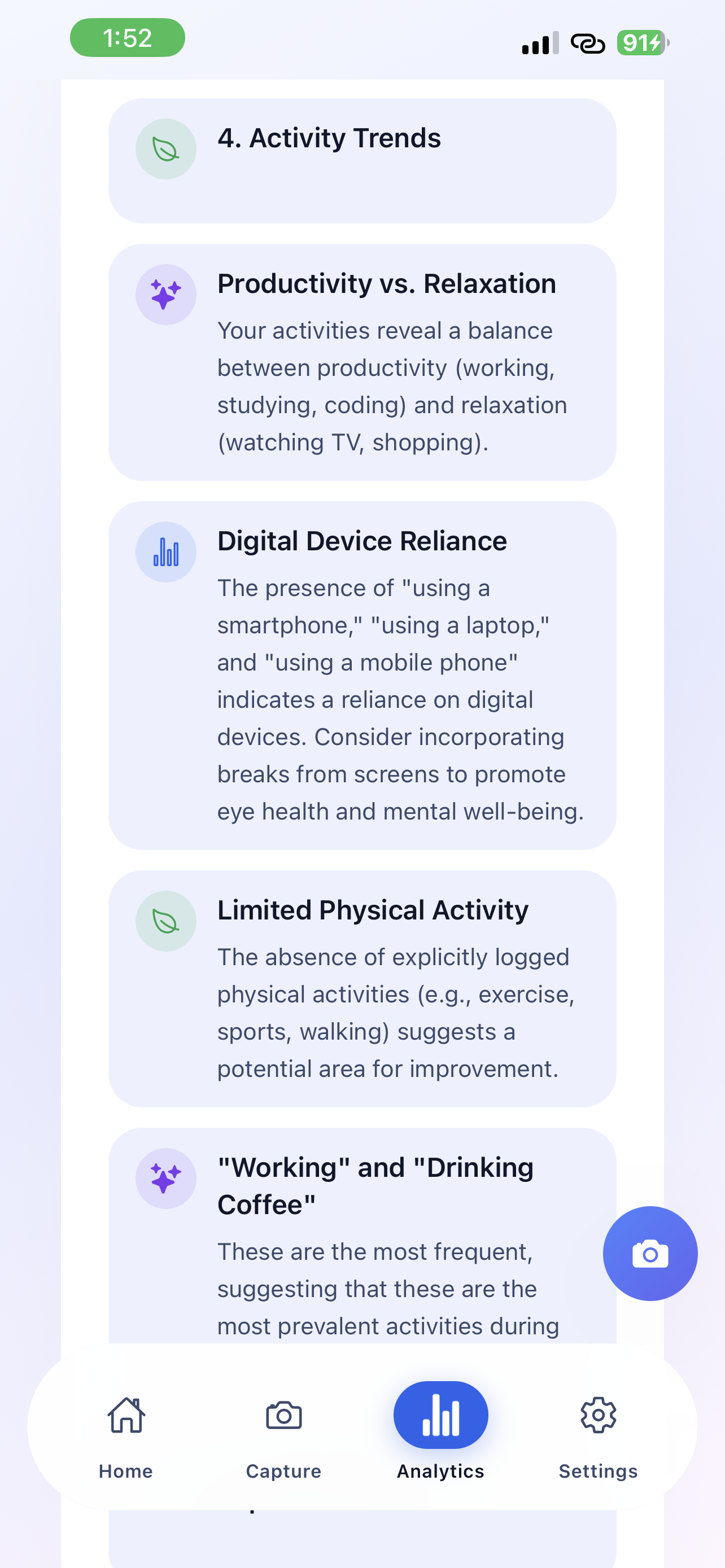
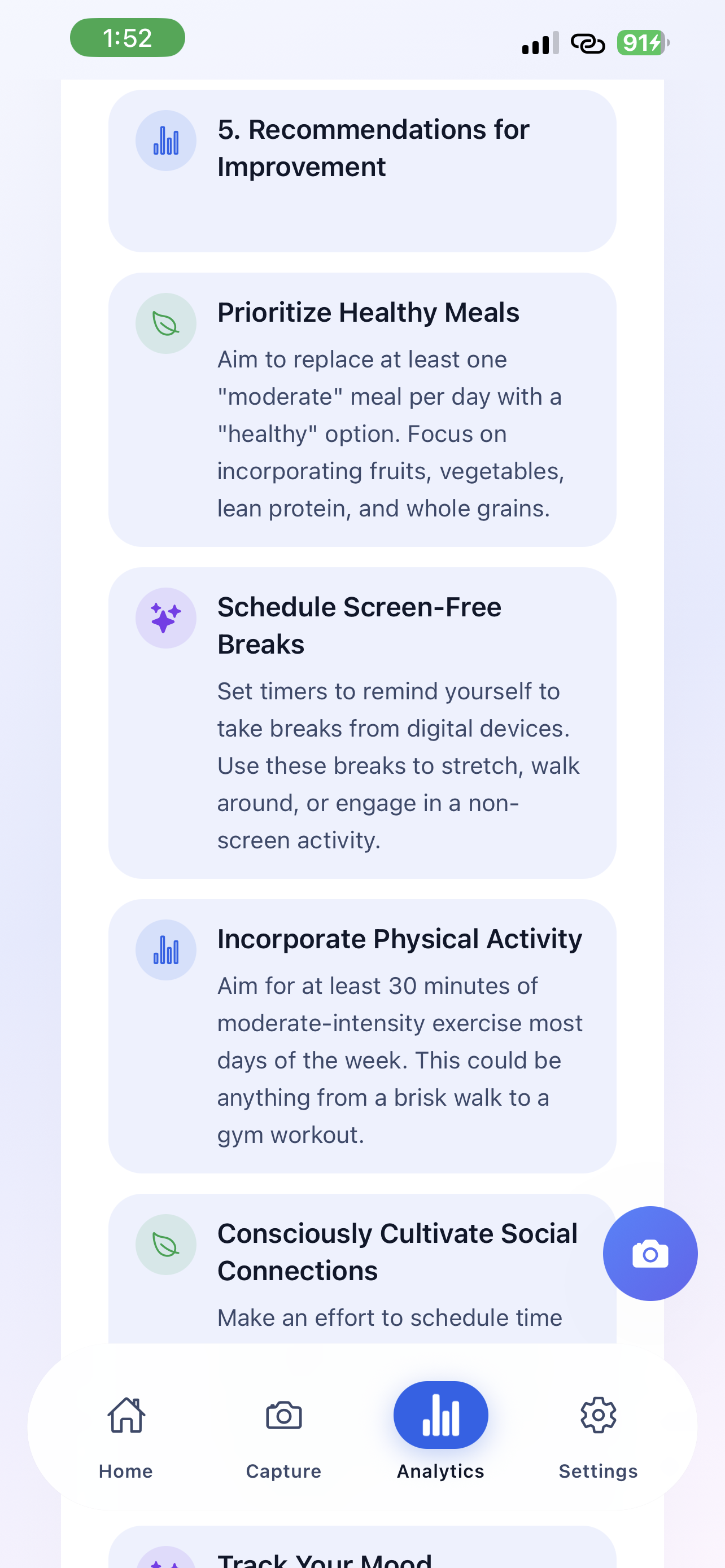
Advanced AI analyzes your photos to understand your lifestyle patterns automatically.

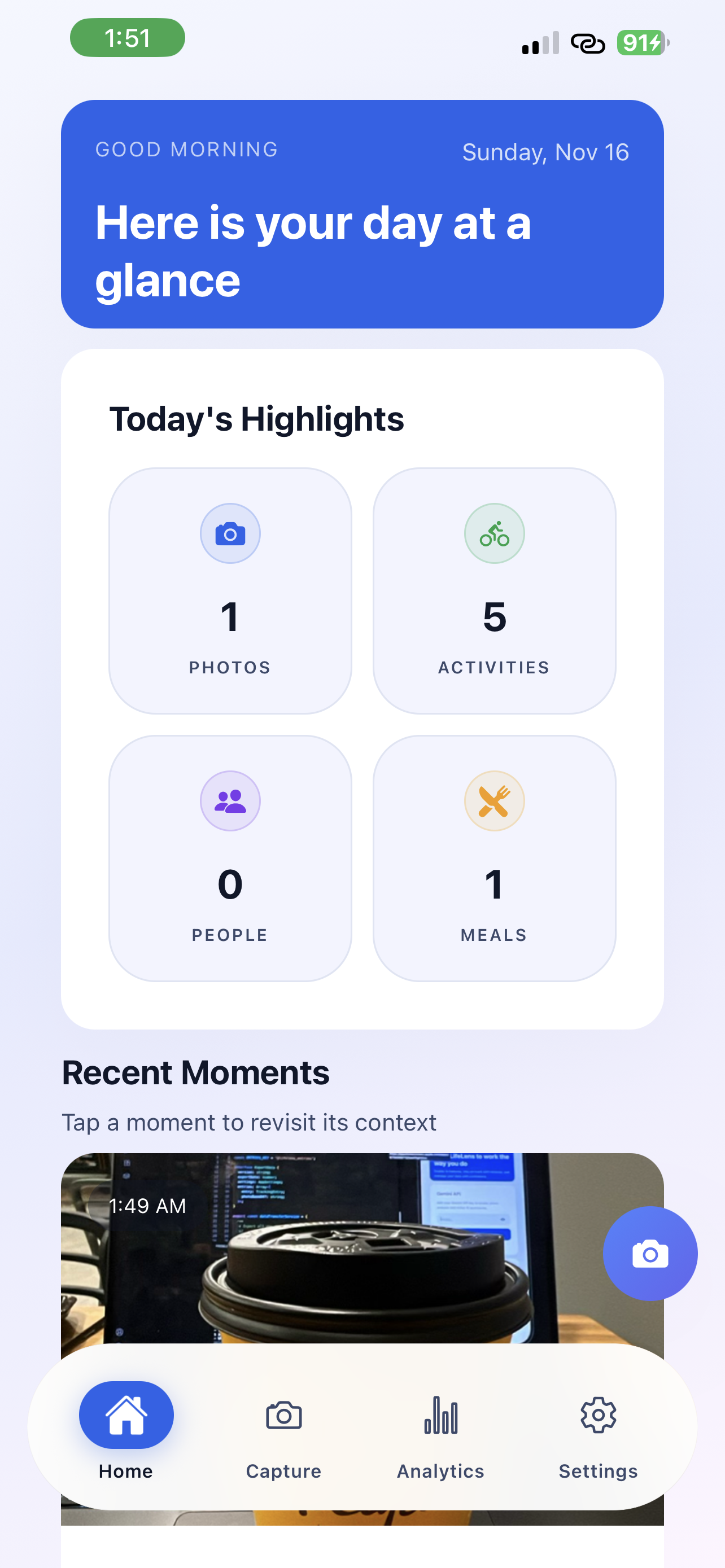
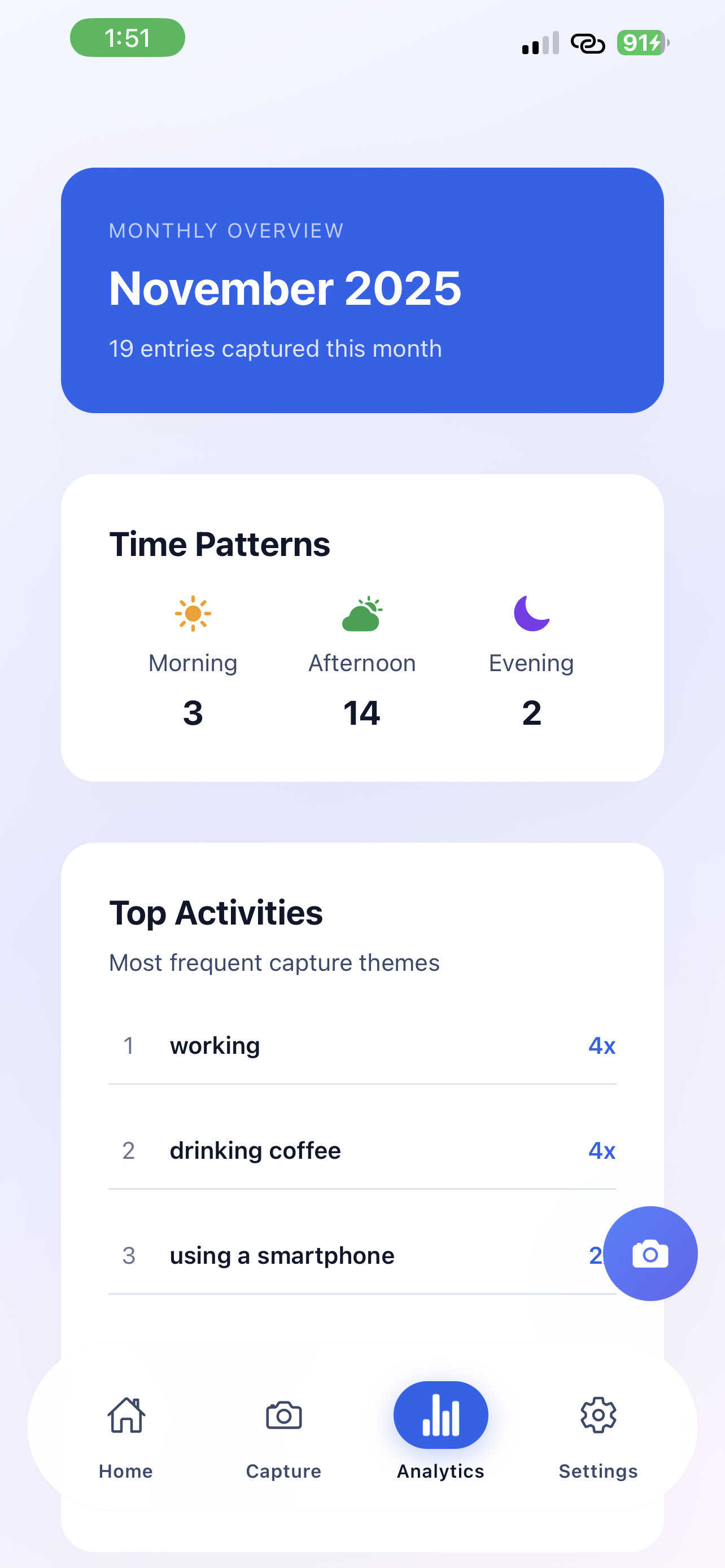
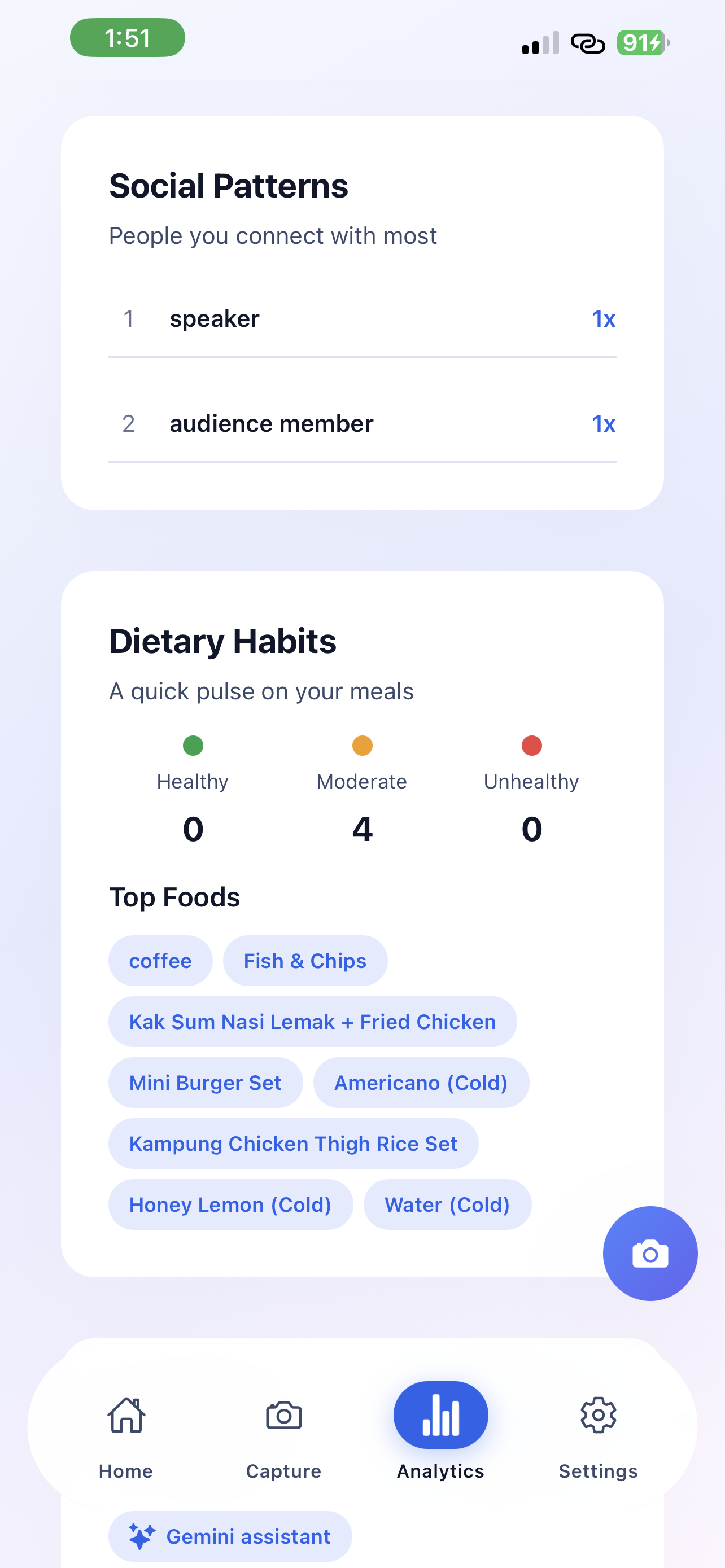
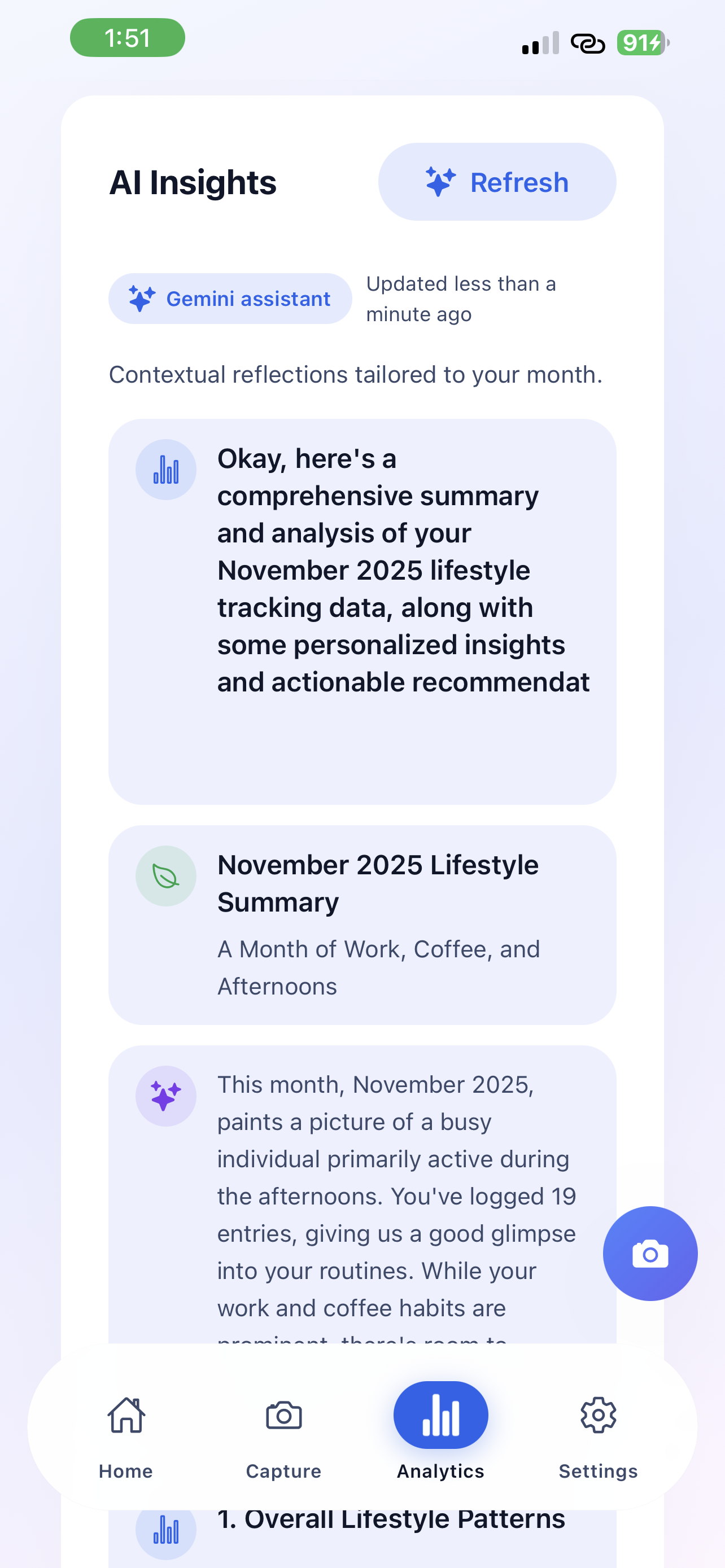
LifeLens insight feed showing photos and context
Photo capture flow inside LifeLens
Timeline view with tagged activities

Why understanding yourself is so hard

Despite living in an age of unprecedented self-tracking capabilities, most people remain fundamentally disconnected from understanding their own patterns and what truly brings them well-being.

Memory Is Unreliable

Autobiographical remembering is "an iterative process of combining information stored in the mind and environment"4—meaning our recollections are reconstructions, not recordings. We consistently misremember how we spent our time and what made us happy.

Traditional Journaling Is Too Hard

While meta-analyses show journaling can be effective for mental health2, adherence remains challenging. Most people don't have 20-30 minutes daily for detailed written reflection.

Quantified Self Misses Context

Step counts and productivity metrics reduce the richness of human experience to numbers. Research distinguishes between "life logging" (capturing lived experience) and "quantified self" (optimizing metrics)4—most tools excel at the latter while failing at the former.

The technology behind LifeLens

Powered by Google Gemini AI and built with React Native for cross-platform capability. Here's what's real today.

What exists today

  • React Native app with Google Gemini AI integration for photo analysis.
  • Automatic detection of activities, people, and food from your photos using advanced AI.
  • Daily notifications at 7:30 PM and monthly analytics reports for lifestyle insights.
How beta access works

  • Fill out the form below and it pings our inbox via FormSubmit.
  • We add testers manually so we can reply with context or questions before sending the TestFlight link.
  • Response time is usually under a day because there’s no waitlist automation yet.

What's solid already

  • Google Gemini AI accurately identifies activities, people, and dietary habits from photos.
  • All data stored locally on your device for complete privacy and security.
  • Smart notification system and analytics reports provide actionable lifestyle insights.

What still needs help

  • Android version in development—React Native makes it straightforward.
  • Export features for monthly analytics reports being refined.
  • AI accuracy improves with more diverse photo samples from beta testers.

What beta testers are experiencing

Real feedback about the AI-powered lifestyle tracking experience with Google Gemini integration.

What's working

  • Google Gemini AI accurately detects activities, people, and food from photos.
  • Daily 7:30 PM notifications keep you consistent without being intrusive.
  • Monthly analytics reveal lifestyle patterns you'd never notice day-to-day.

What's still rough

  • Android version coming soon (React Native makes it easier).
  • AI analysis depends on photo quality—blurry shots may not detect everything.
  • Export features for analytics reports still being refined.

Where we need testers

  • People interested in AI-powered lifestyle insights who capture photos regularly throughout their day.
  • Health coaches and wellness professionals who want automated tracking for their clients.
  • Privacy-conscious users who value local data storage with secure AI analysis.

AI-powered insights from your daily photos

Google Gemini AI Analysis

Powered by Google's most advanced AI, LifeLens automatically understands your photos—detecting activities, recognizing people in your social circle, and identifying what you're eating. No manual tagging needed.

Smart Activity Detection

AI automatically identifies what you're doing—working, exercising, relaxing, or socializing.

Daily Notifications

Get reminded at 7:30 PM to capture your day. Perfect timing to reflect without interrupting.

People Recognition

AI identifies who's in your photos to track social interactions and relationship patterns.

Monthly Analytics

Get comprehensive monthly reports showing lifestyle patterns, social trends, and dietary habits over time.

AI-powered lifestyle tracking made simple

Google Gemini AI analyzes your photos to automatically understand your daily activities, social interactions, and dietary habits—no manual input needed.

01

Snap Any Photo

Take photos of your meals, activities, workspace, or social moments. The app opens directly to the camera for instant capture. No forms, no typing—just point and shoot. Every photo becomes a data point for understanding your lifestyle.

02

AI Analyzes Instantly

Google Gemini AI processes your photo immediately, detecting what you're doing (working, exercising, relaxing), who you're with (friends, family, colleagues), and what you're eating. All analysis happens automatically—no manual tagging required.

03

Get Insights Daily & Monthly

Receive a daily notification at 7:30 PM to review your day and capture any missed moments. Monthly analytics reports reveal deeper patterns: social interaction trends, dietary habits, activity levels, and lifestyle changes you wouldn't notice day-to-day.

How we're different

Unlike traditional journaling apps or habit trackers, LifeLens uses Google Gemini AI to understand your life automatically from photos.

Feature
LifeLens Our approach
Traditional Journals Habit Trackers
Time to capture 2 seconds
Snap and go
20-30 minutes
Writing required
~1 minute
Manual checkboxes
Context captured AI-analyzed photos
Activities, people, food
Text only
Memory-dependent
Binary yes/no
No context
Pattern recognition AI-powered analytics
Daily & monthly reports
Manual review
Self-analysis needed
Streaks only
Limited insights
Privacy Local-first
Your device, your data
Cloud-dependent
Varies by provider
Cloud-dependent
Varies by provider
Learning curve Instant
Just take photos
High
Writing discipline
Medium
Setup required

We're not saying journaling or habit tracking is bad—they work for different goals. LifeLens is built for people who want insights without the overhead.

Why visual tracking works

LifeLens builds on decades of research in psychology, public health, and personal informatics.

01

Photovoice Methodology

Since 1992, photovoice has demonstrated that visual documentation enables people to "identify, represent, and enhance" their experiences through photographs. Research shows it promotes critical dialogue and actionable insights in ways text alone cannot achieve.5

02

Minimal Cognitive Load

Capturing a photo takes 2 seconds vs. 20+ minutes for traditional journaling. Research on behavior change emphasizes that interventions must minimize participant burden to achieve long-term adherence.1

03

Rich Contextual Data

Unlike reductive metrics, photos preserve context. Studies on lifelogging cameras found they captured nuances that manual diaries missed entirely—social context, environments, and emotional states visible in body language.6

04

Visual Journaling Benefits

Research on visual journaling interventions shows effectiveness in reducing stress and anxiety. Studies found visual elements facilitate reflection and provide "insights into aspects of experience" that text-based methods miss.7

05

Real-Time vs. Retrospective

Experience Sampling Methods (ESM) research demonstrates that real-time data collection provides more accurate insights than retrospective recall, which is subject to systematic bias.3

06

Self-Tracking & Wellbeing

Systematic reviews confirm that self-tracking interventions, when properly designed with actionable feedback (not just data collection), facilitate positive behavior change and improved wellbeing.8

Your moments stay yours

LifeLens stores all data locally on your device. AI analysis happens through secure API calls, but your photos never leave your phone.

100% Local Storage

All photos and data stay on your device. No cloud uploads, no external servers—just your phone.

Secure AI Analysis

Google Gemini AI analyzes photos through secure API calls. Your data is never used for training.

Zero Selling

We make money from subscriptions, not your data. Never have, never will.

You asked, we answered bluntly

No marketing fog. Just practical responses to the objections people keep sending us.

Coming soon! LifeLens is built with React Native, making cross-platform support straightforward. We're focusing on perfecting the iOS experience first. Join the waitlist to be notified when Android launches.

All data is stored locally on your device for maximum privacy. Your photos and personal information never leave your phone. Only the AI analysis requests are sent to Google Gemini's secure API.

No. Your photos and data are never used to train AI models. Google Gemini processes your photos for analysis only, following strict privacy guidelines. Your personal data remains yours alone.

Beta is free. The public launch will be a simple subscription (likely $7–$10/month). Everyone who helps during beta keeps founder pricing for life.

Yes. You own your data. Export functionality is currently manual (email us), but we're building automated export to JSON, CSV, and photo archives. Your memories should never be locked in.

Photos apps just store images. LifeLens uses Google Gemini AI to understand what's in your photos—automatically detecting activities, identifying people, and tracking dietary habits. You get daily insights at 7:30 PM and monthly analytics reports showing patterns in your lifestyle. It's AI-powered life tracking, not just storage.

BETA

Join the TestFlight Beta

LifeLens is currently in beta testing on iOS. Get early access and help shape the future of visual life tracking.

Full app features
Priority support
Shape future updates

References

  1. BeSci. "Self-Monitoring or Tracking for behavior change." Retrieved from besci.org
  2. PMC. "Efficacy of journaling in the management of mental illness: a systematic review and meta-analysis." 2022. pmc.ncbi.nlm.nih.gov
  3. PMC. "Using Experience Sampling Methods/Ecological Momentary Assessment (ESM/EMA) in Clinical Assessment and Clinical Research." 2014. pmc.ncbi.nlm.nih.gov
  4. ResearchGate. "Lifelogging, Digital self-tracking and Lifelogging - between disruptive technology and cultural transformation." 2017. researchgate.net
  5. Wang, C., & Burris, M. A. "Photovoice: Concept, Methodology, and Use for Participatory Needs Assessment." Health Education & Behavior, 24(3), 369-387, 1997. SAGE Journals
  6. Albatal, R. "Lifelogging cameras for a passive and rich eating behaviour tracking." Quantified Self Dublin, 2018. Medium
  7. "Visual journaling: An intervention to influence stress, anxiety and affect levels in medical students." The Arts in Psychotherapy, 37(2), 2010. ScienceDirect
  8. PMC. "How Self-tracking and the Quantified Self Promote Health and Well-being: Systematic Review." 2021. pmc.ncbi.nlm.nih.gov
Keyboard Shortcuts